QR Code Photo Sharing & Live Photo Wall for Corporate Events, Office Parties & Conferences (2026)
At every corporate holiday party, team-building retreat, company milestone, or conference, hundreds of great candid photos are taken on attendees' phones. Yet the next day, nobody uploads them to the company drive, and Slack or WhatsApp ruins the resolution. Here is how a single table QR code lets everyone save photos into one shared online album while projecting a real-time photo wall on the venue screens.
TL
Tomas Luka
Event Photographer & Founder of weddApp!
17. 10. 2026 •
6 min read
Whether you are an HR manager, executive assistant, or event planner organizing a corporate holiday party, summer team retreat, company anniversary, product launch, or conference, you face two main challenges: keeping attendees engaged and collecting high-resolution photos afterward without chasing colleagues for weeks.
Why Traditional Photo Collection Fails at Corporate Events
Google Drive / SharePoint / Dropbox: On personal iPhones, employees and external guests aren't logged into corporate accounts. Nobody wants to deal with 2FA logins during an evening party.
Slack, Teams, or WhatsApp Groups: Photos are heavily compressed, buried under chat messages, inaccessible to external clients, and cannot be projected live on stage screens.
Native Event Apps: Asking guests to download a dedicated app from the App Store and create an account just for one evening drops participation by over 80%.
The Solution: Table & Lanyard QR Codes with a Shared Online Album
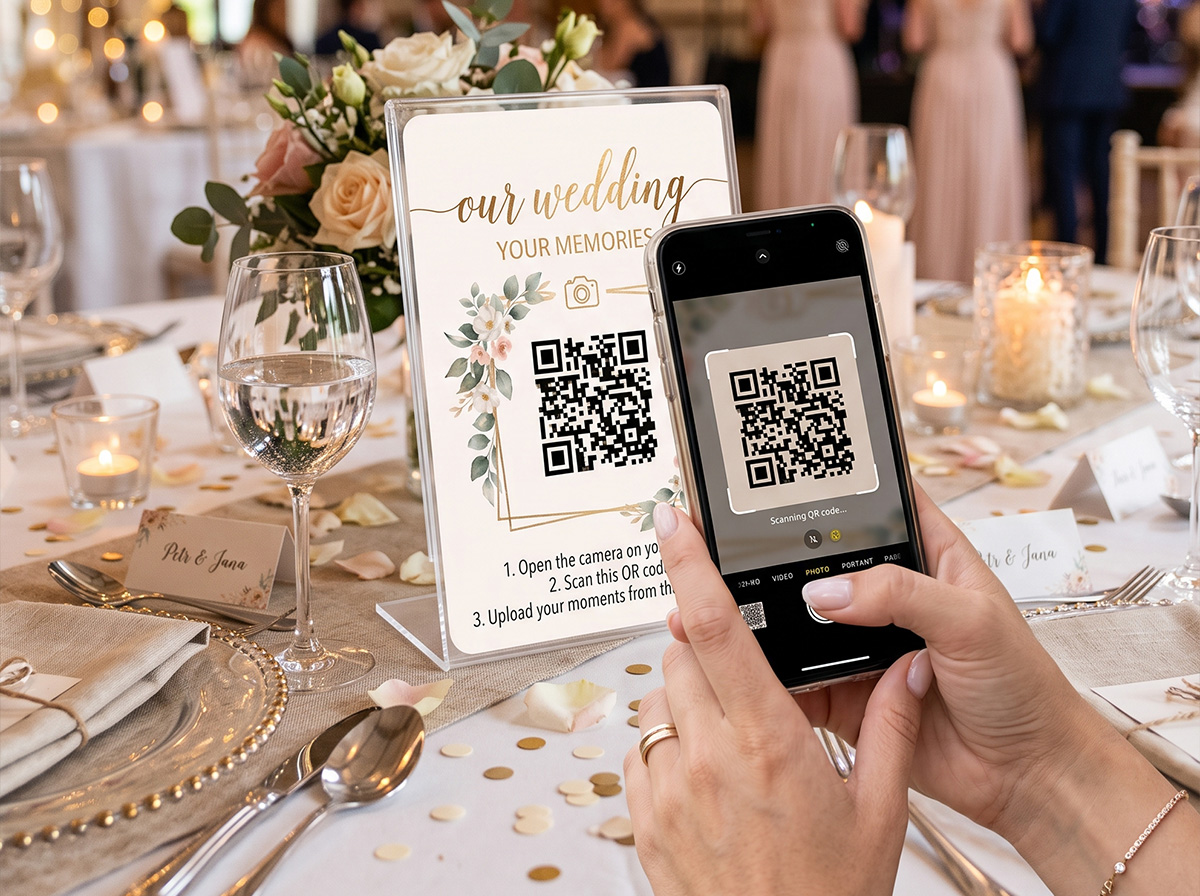
weddApp! runs 100% inside any mobile browser (Safari & Chrome) with zero downloads. In 5 minutes, you can customize your event title and agenda in the dashboard and print QR code signs for tables, bars, or attendee badges:
Instant QR Photo Sharing & Saving: Attendees point their phone camera at the QR code and upload photos directly into a shared online album in two taps—no app install, no account login.
Live TV & Projector Photo Wall: Every uploaded photo and shoutout streams onto the venue projectors or TV screens within 3 seconds, turning attendees into part of the show.
Digital Event Agenda, Trivia Quiz & DJ Song Requests: Under the same QR code, attendees view the live event schedule, bar menu, play team-building icebreaker challenges, join a company trivia quiz, and request songs for the DJ via Spotify.
1-Click Full HD ZIP Download: After the event, your marketing or HR team downloads the entire photo archive in 100% original Full HD quality with a single click—ready for LinkedIn, internal newsletters, and press releases.
Corporate Event Feature
Google Drive / Slack
Hardware Photo Booth
weddApp! (All-in-One)
Upload without login or app install
No (requires account)
Only in one corner
Yes (QR code on every table)
Live TV & Projector Photo Wall
No
No
Yes (real-time 3s stream)
Agenda, Trivia Quiz & DJ Console
No
No
Yes (all included)
Total Event Cost
Free (low participation)
$600 – $1,200
$69 one-time flat fee
FREE PRINTABLE TOOL
Design Custom QR Code Table Signs for Your Guests
Planning a wedding or party? Use our free online generator to create elegant A6/A5 table signs with your QR code in 2 minutes. Export 300 DPI print-ready PDFs and PNGs.
Can weddApp! be customized for a corporate event or conference instead of a wedding?
Yes! In the admin dashboard, you can customize your event title, schedule, trivia quiz questions, and team icebreaker tasks, and toggle off any wedding-specific modules in one click.
How many attendees can upload photos and how much does it cost?
Both the number of attendees and Full HD photo uploads are 100% unlimited. The full event license is a one-time payment of $69 with no subscription.